Most community ensembles sell tickets the hard way: an account on a general-purpose events platform, a listing rebuilt by hand for every concert, fees that take $2 to $3 out of every $20 ticket, and revenue that arrives days after the concert it paid for.
Those platforms were built for conferences and club nights. Your season is different: the same venue three times a year, an audience that comes back, patrons you want to recognize, and a volunteer treasurer who explains every dollar to the board. Ticketing should be part of running the ensemble, not a second business you operate on the side.
Where the money and hours go
What a general-purpose platform costs an ensemble, beyond the fee line:
Percentage-based fees that grow with your ticket price.
Every concert listing rebuilt from scratch: dates, venue, images, copy.
Buyer data stuck on the platform, apart from your donor and email lists.
Door sales tracked in a cash box and a paper list.
A separate login, dashboard, and payout schedule to reconcile.
Ticket revenue held until after the event ends.
Your event page already exists
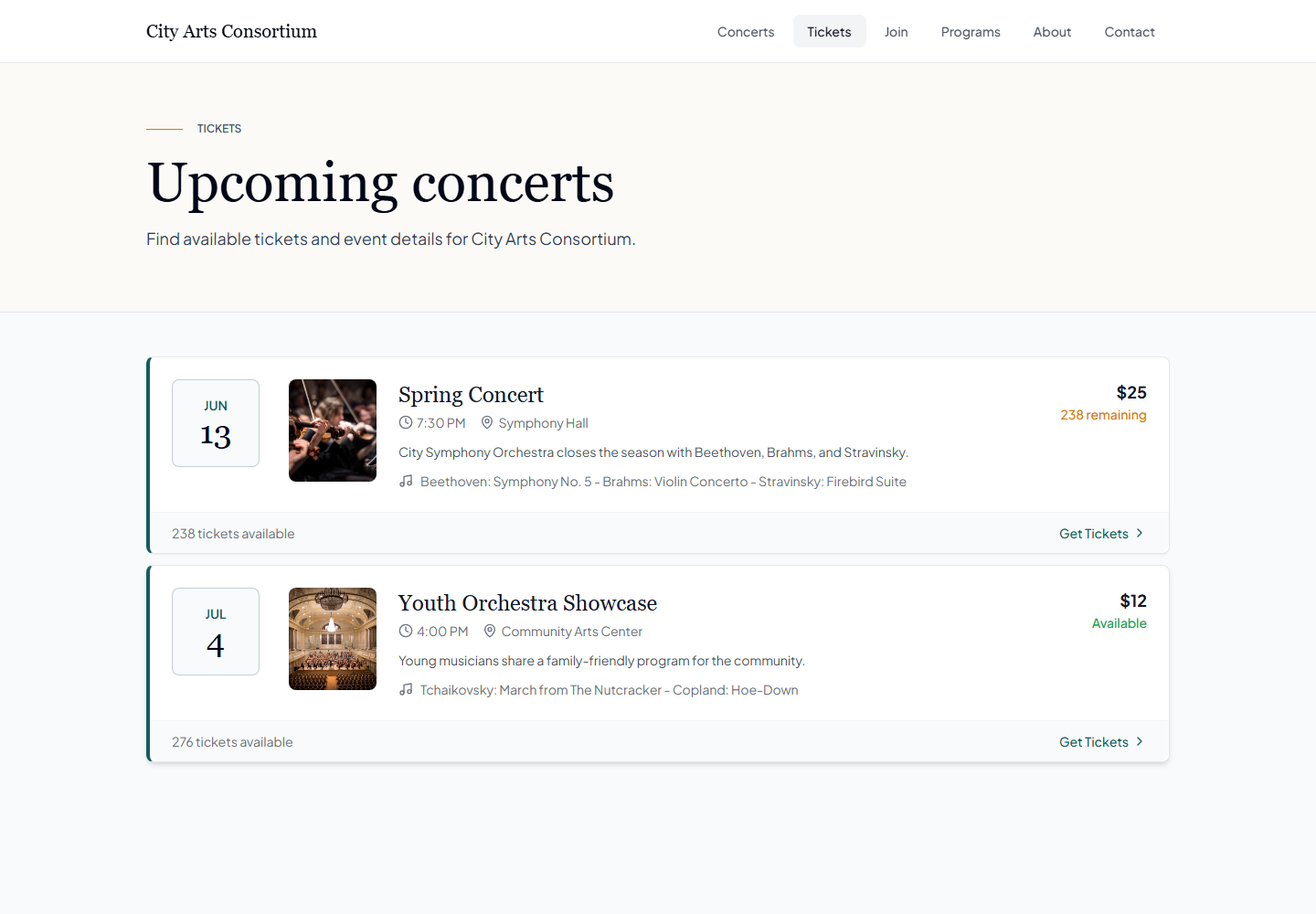
In EnsembleBase, ticketing starts from the events you already scheduled. The concert on your calendar, with its date, time, venue, and program, becomes a public event page where anyone can buy tickets. When the date or venue changes, the public page follows. There is no second copy of the concert to keep in sync.
Reserved seating, general admission, or both
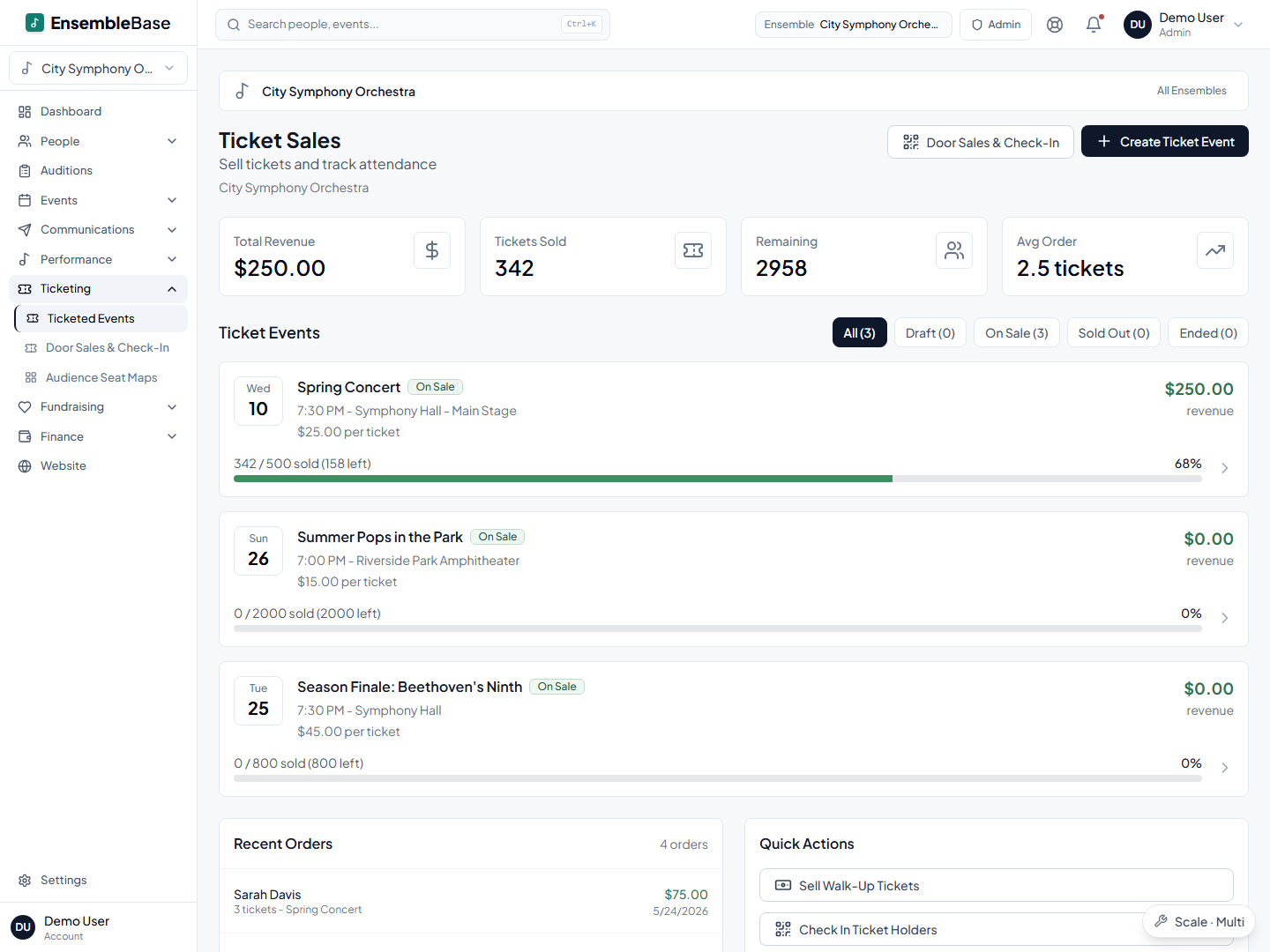
If your hall has assigned seats, you can sell from a seat map on the Scale plan: buyers pick their seats, and you can hold blocks for patrons, comps, or the choir's families. Worth checking before you plan a season around it, because it is the biggest tier step in the product: seat maps are the one ticketing feature that needs Scale rather than Pro. If your venue is folding chairs in a church nave, general admission works on both tiers with a simple capacity, and remaining capacity shows on the dashboard either way.
What a $20 ticket costs, and who pays it
The service fee is a flat $1.00 per paid ticket, covered by the buyer at checkout by default, plus standard Stripe card processing of about 2.9% + $0.30, which buyers can choose to cover. When buyers cover both, your ensemble receives the full face value: sell a seat for $20, and $20 is yours. There is no platform percentage taken from your ticket price and no fee-cap fine print. Processing is billed by Stripe on your organization's own account, so whatever rate you hold with Stripe is the rate you pay. Stripe's nonprofit discount is unlikely to be it: their eligibility rules require donations to make up more than 80% of your payment volume, and ticket sales don't count toward that. Ticketing comes with the Pro and Scale plans, so there is no separate ticketing subscription. The full platform-by-platform math is in our 2026 fee comparison.
How the money moves
Where does ticket money land? In your organization's own Stripe account. You are the merchant of record; EnsembleBase collects its $1.00 per ticket and touches nothing else.
When? Sales land in your Stripe balance as they happen, before the concert, and Stripe pays out to your bank on its standard rolling schedule. You can watch the balance and recent payouts inside EnsembleBase. New Stripe accounts have onboarding and a slower first payout, so connect your account well before sales open.
What happens on a refund? You record the refund in EnsembleBase, which releases the seats and invalidates the tickets, and complete the payment in your Stripe dashboard. Stripe keeps its processing fee, and the $1.00 service fee stays with EnsembleBase.
Who handles a disputed charge? Disputes go through your own Stripe account, like any other charge your organization processes, and Stripe charges a dispute fee (around $15) win or lose. That is the flip side of being the merchant of record: the money is yours from the moment of sale, and so is the responsibility. The order history and check-in record in EnsembleBase are the evidence you'll want when you respond.
Concert night, worst case
Every ticketing page describes the happy path. Here is the other kind of night, and what actually happens:
The lobby wifi dies at 6:40. Check-ins need a connection, so the insurance is paper, and it costs one click: export and print the attendee list every concert afternoon, whether you expect trouble or not. If the network drops, check people off the printed list and mark them checked in from the attendee search once it returns. Nobody waits in the cold while a volunteer reboots a router.
Someone shows a screenshot of a ticket you already checked in. Each ticket can be checked in once; the second attempt shows it has already been used. Your door lead makes the human call, with the facts on the screen instead of two people's word against each other.
The December concert gets snowed out. Email every buyer first, from the same system, because the buyer list is already there: announce the reschedule date and let tickets carry over automatically. Then refund only the buyers who ask (the flow above). The order matters, because a refund costs you real money: on a $20 ticket the processing and service fees are not returned, so a full refund runs your organization about $1.90 per ticket. Some groups refund face value only; decide that in your refund policy before the season starts, not in the parking lot during a snowstorm.
The buyer list is your next audience
Online buyers are added to your People records automatically, matched by email to anyone already there. The family that bought four tickets in December is visible when you plan the spring donation ask, next to your members and donors, and the thank-you email after the concert goes out through the same system that sold the tickets. Walk-up door sales are recorded with the order itself, so attendance and revenue stay complete even when the buyer stays anonymous.
One roster powers everything
In EnsembleBase, your member list is entered once and reused everywhere. Every tool below works from the same roster — no re-typing names, no out-of-sync copies.
Frequently asked questions
What does ticketing cost the ensemble?
Ticketing is part of the Pro and Scale plans rather than a separate product with its own subscription. The service fee is a flat $1.00 per paid ticket, covered by the buyer at checkout by default, plus standard Stripe card processing (about 2.9% + $0.30), which buyers can also cover. With both covered, your ensemble receives the full face value of every ticket sold. General admission ticketing works on both plans; reserved seating with seat maps needs Scale, which is the more expensive tier, so check current plan pricing before you commit to a season of assigned seats.
How do refunds work?
You record the refund in EnsembleBase, which frees the seats and invalidates the tickets, and complete the money movement in your own Stripe dashboard. Refunds issued in Stripe sync back automatically. Stripe keeps its processing fee on a refund, and the $1.00 service fee stays with EnsembleBase.
Can we sell tickets at the door?
Yes — by card through Stripe, or recorded as cash, check, or comp. Door sales land in the same records as advance sales, so walk-ups count toward the same revenue and attendance totals, and volunteers can check in advance buyers from the same screen.
Do buyers need an account to purchase tickets?
No. The public event page works like a normal checkout: buyers pick seats or quantities, pay by card, and receive their tickets by email. Online buyers are added to your People records automatically, matched by email.
Keep reading
Ticketing & box office
Ticketing fees compared: what a $20 ticket really costs on each platform
Read the guideTicketing & box office
How to sell tickets for a community concert
Read the guideSeating & staging
Seating chart software that starts with your roster, not a blank canvas
Read the guideOrchestra operations
Community orchestra management software that replaces the spreadsheet stack
Read the guideStart here
Your next concert is already half a ticket page.
Put the season on the EnsembleBase calendar and every concert can have a public ticket page, a seat map, door sales, and a buyer list that feeds your donor pipeline — with the money in your organization's own Stripe account from the first sale.
Request a demo