Every ensemble has a version of the same seating chart story: someone builds a beautiful diagram in PowerPoint, Excel, or a generic drawing tool. It's perfect for exactly one rehearsal.
Then a violinist switches to the second stand, two clarinets swap parts, and the percussion section adds a player. Now the diagram is wrong in three places, it lives on one person's laptop, and nobody else can fix it — or even see which version is current.
Why seating charts keep breaking
The problem isn't the drawing. It's that the drawing is disconnected from everything else: the roster, the concert, the people who need to know where they sit.
The chart lives in one person’s file, where members can’t see it.
Every change means redrawing and re-sending, every time.
Generic tools know nothing about sections, chairs, or your member list.
Each concert setup starts over from a blank page.
The chart and the availability replies live in different tools.
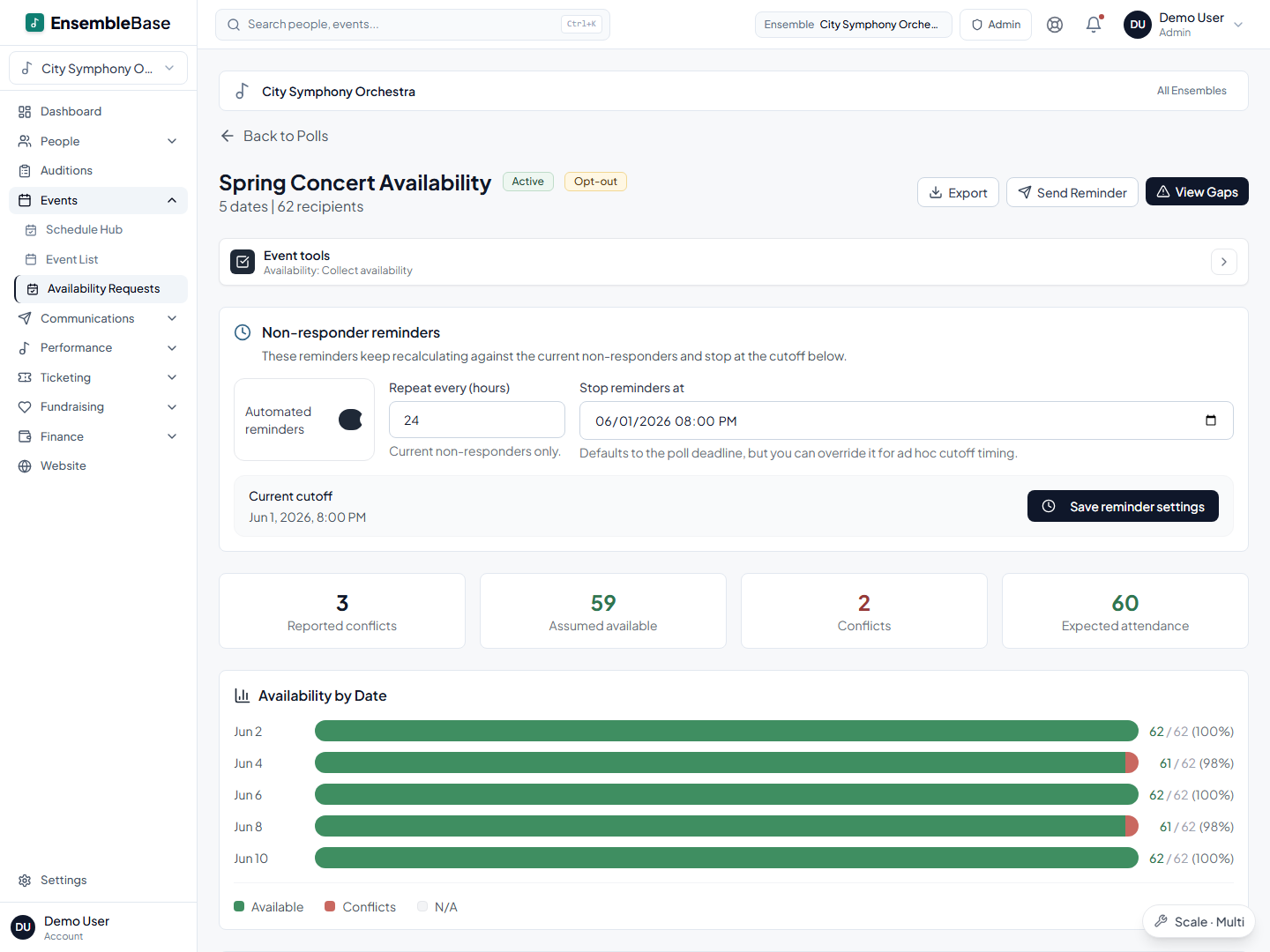
See availability on the chart, not next to it
Charts can be linked to a concert, and the payoff comes in the week before the performance: open the seating view from the event and the availability responses overlay the seats. Instead of cross-referencing a poll against a diagram, you see directly which chairs are at risk, and you can message the assigned musicians from the same screen.
Start from a template instead of a blank canvas
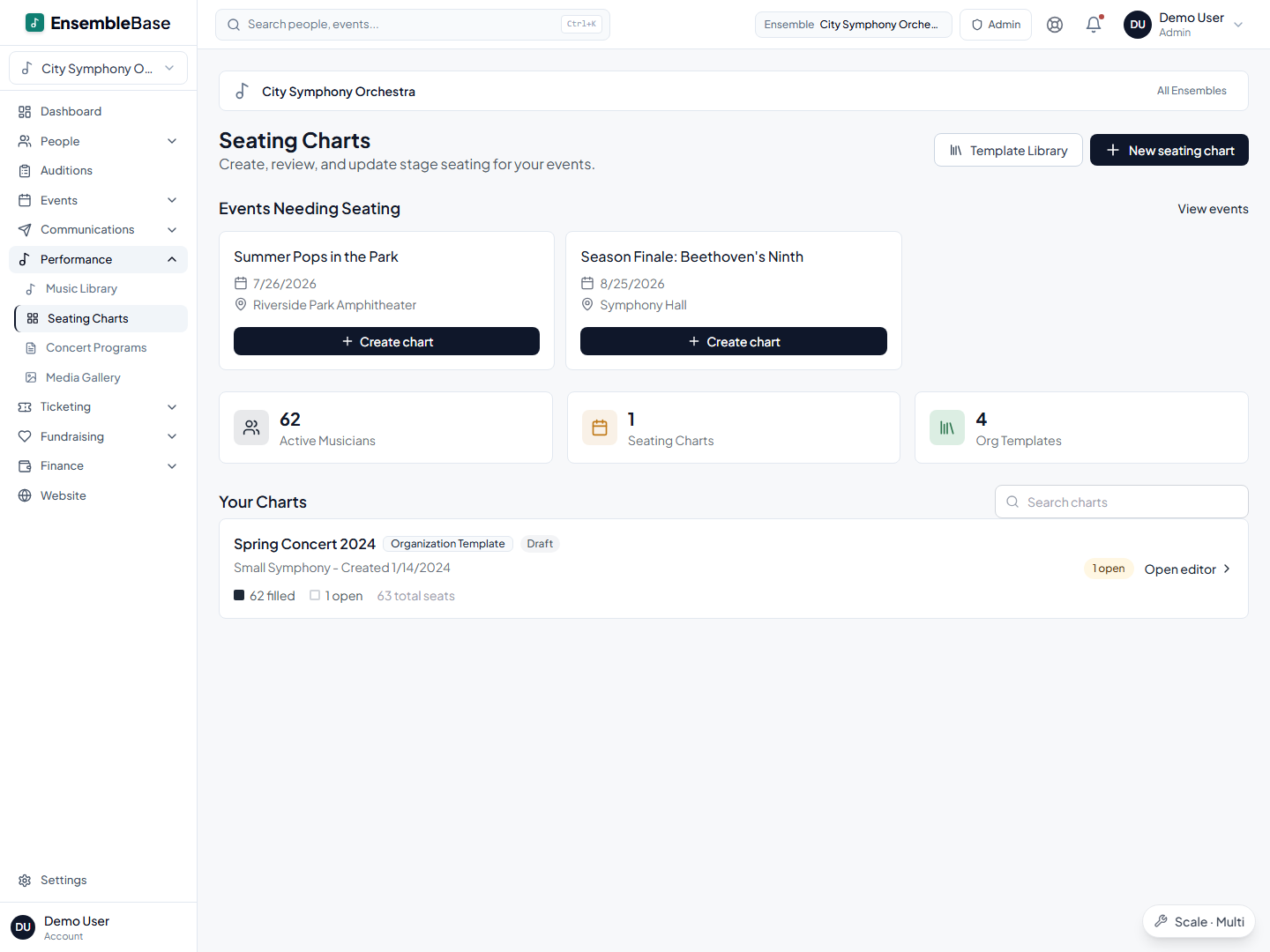
Create a chart in EnsembleBase and you land in the stage-map builder with a starting template already on the canvas, so you're adjusting rather than drawing chairs one by one. Shape it into how your ensemble sits: add curved or straight rows, drag them into place, set the seat count, bend and rotate each row until the map matches your stage. Undo and redo cover your experiments.
Seat players straight from the roster
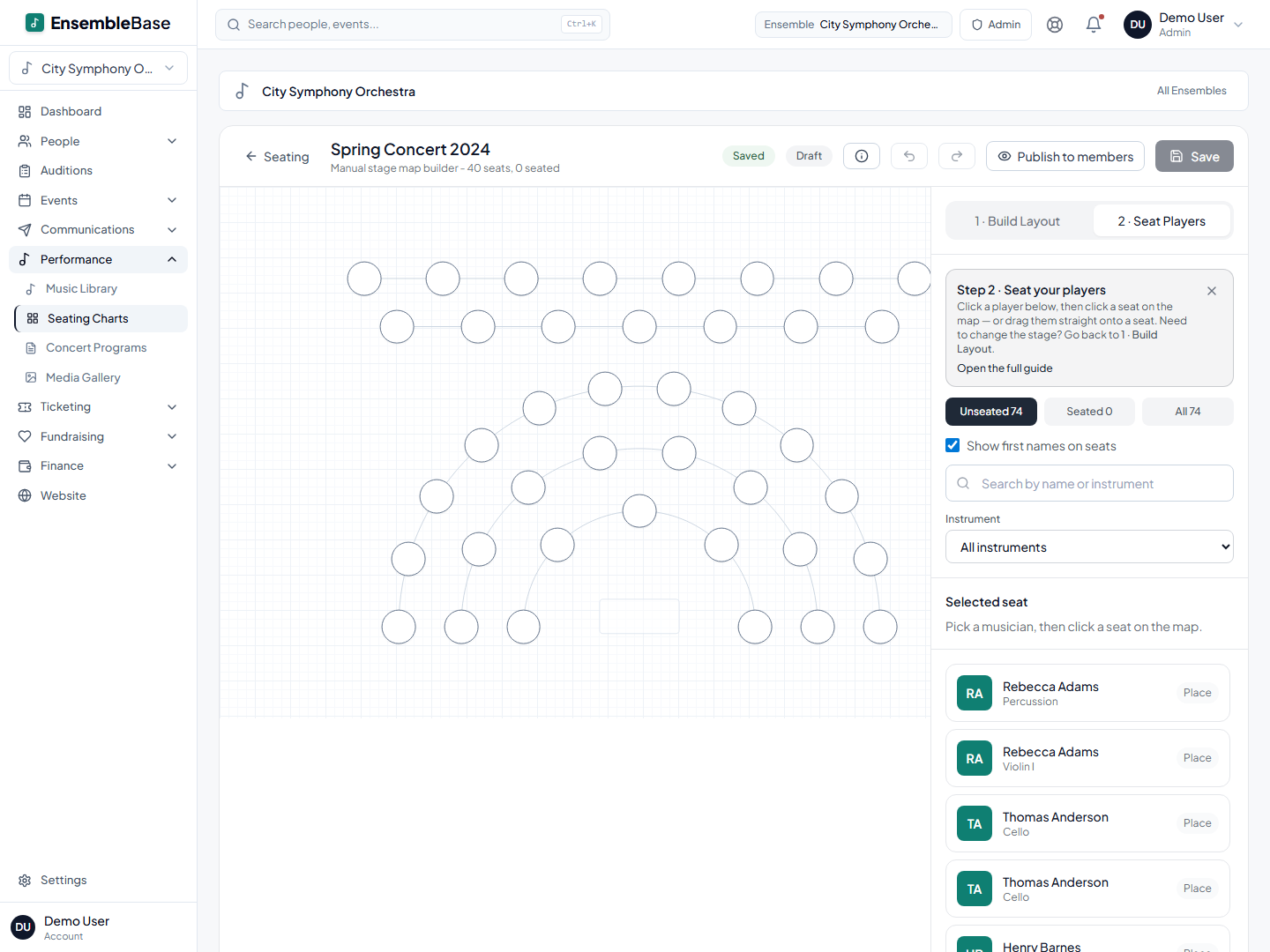
The builder shows your roster in a side panel: filter by instrument, search by name, see who is seated and who is not. Drag a player onto a seat, or click a name and then a chair. Drop a player on an occupied seat and the builder asks whether to swap the two or replace the player already there. Stand order and principal chairs stay decisions you make; the tool records them, it doesn't guess.
Members see their seat when you decide
Charts stay in draft while you work; drafts are visible only to admins. When you publish, every member sees their own assignment — instrument, section, and seat — in their member portal, next to their schedule, music, and dues. No more photographing the whiteboard or forwarding a PDF five versions old. Change your mind and you can unpublish just as easily.
One roster powers everything
In EnsembleBase, your member list is entered once and reused everywhere. Every tool below works from the same roster — no re-typing names, no out-of-sync copies.
Two cellists out on Tuesday
Tuesday: the availability poll shows two cellists out for the May concert. Wednesday: you open the concert's seating view, see exactly which two chairs are affected, and rearrange the section with a couple of drags — the builder prompts the swap. Thursday: you publish, and the cello section sees the change in their portal before anyone emails you about it.
Frequently asked questions
Does EnsembleBase support choir and band layouts, or just orchestra?
Both, and more. The stage-map builder is layout-agnostic: curved or straight rows with any seat count, so an orchestra fan, band rows, choir risers, or a chamber circle are all shapes you can make it take. You start from an adjustable template rather than a blank page.
Do my members need to install an app to see the seating chart?
No. Members view their seat assignment in a web-based member portal, the same place they see their schedule, music, and dues. There’s nothing to install.
Can a seating chart be tied to a specific concert?
Yes — optionally. Link a chart to an event and the event’s seating view overlays availability responses on the chart, so you can see which seats have conflicts for that date. Charts can also live unlinked if you just want a standing setup.
How do we seat a hired substitute or ringer?
Add them to your roster as an active member first: seats are assigned from the roster, so once the sub is on it, you place them like anyone else, and they can see their seat in the member portal. Their record stays in your roster for the next time you need them.
What does EnsembleBase cost?
Seating charts come with the Pro tier and up, alongside the roster, availability, email, dues, and ticketing tools; the Core tier below it covers roster, availability, and dues. Current figures are on the plans page. There are no per-chart or per-member fees at any tier.
Can we print the chart for the stage door?
No — there is no print or PDF export today. Members see their own seats in the member portal; for the stage door, groups screenshot the chart view.
Keep reading
Seating & staging
How to create an orchestra seating chart
Read the guideOperations
Planning a concert season: the master timeline and checklist
Read the guideOrchestra operations
Community orchestra management software that replaces the spreadsheet stack
Read the guideBand operations
Community band management software that replaces the six-spreadsheet system
Read the guideThe bottom line
Stop redrawing. Start publishing.
EnsembleBase seats your roster on a layout shaped like your ensemble, connected to availability, email, and everything else it runs on.
Request a demo